Alfa-Bank / Credit products / Shipped
Finding and downloading loan documents
Making credit agreements accessible in the banking app and web, with fewer reasons to contact support.
01 / Problem
The problem
Customers needed credit agreements and related files, but could not retrieve them directly from the app or web banking. They had to request documents through the contact center.
The goal was self-service access across credit products. Older agreements that were missing or incorrectly stored still required manual processing, so the design could not assume that every file would be available immediately.
02 / Research
What we learned in research
In the first research round, we expected customers to look for contracts in their profile. Instead, they consistently went to the relevant credit product.
Customers looked for the agreement on the loan page. I used that finding to choose the entry point.
A second round supported placing documents on the credit product screen and also showed that customers used the app’s global search to look for contracts.
03 / Design
The final flow
I placed access to documents within the credit product, with clear file names and formats. I also designed access through global search, supporting customers who preferred to search instead of navigating.
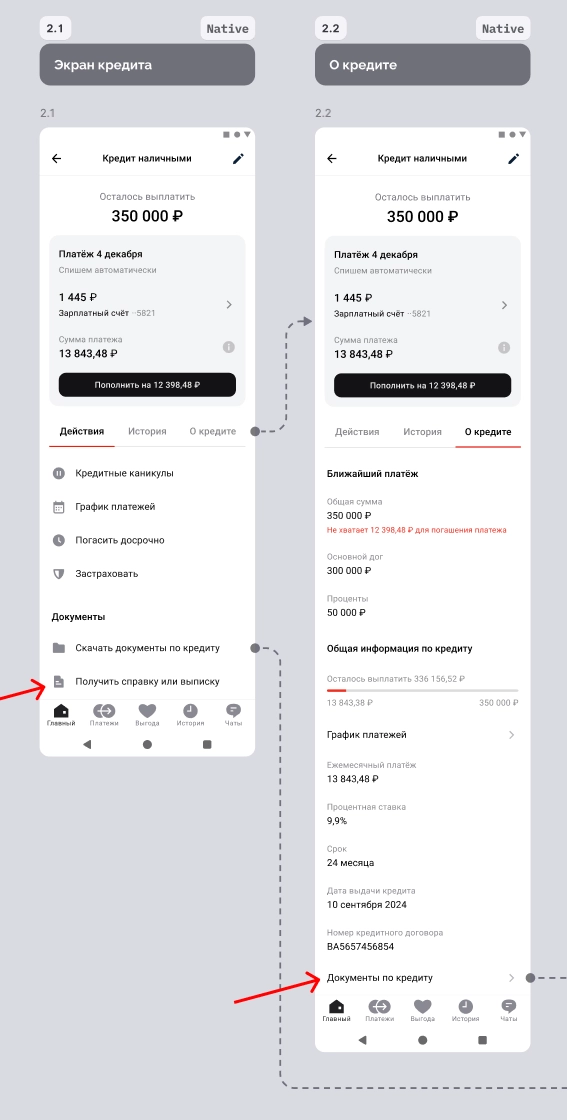
- Documents sit within the loan screen, where customers looked for them in research.
- The entry point also works in the longer product layout.
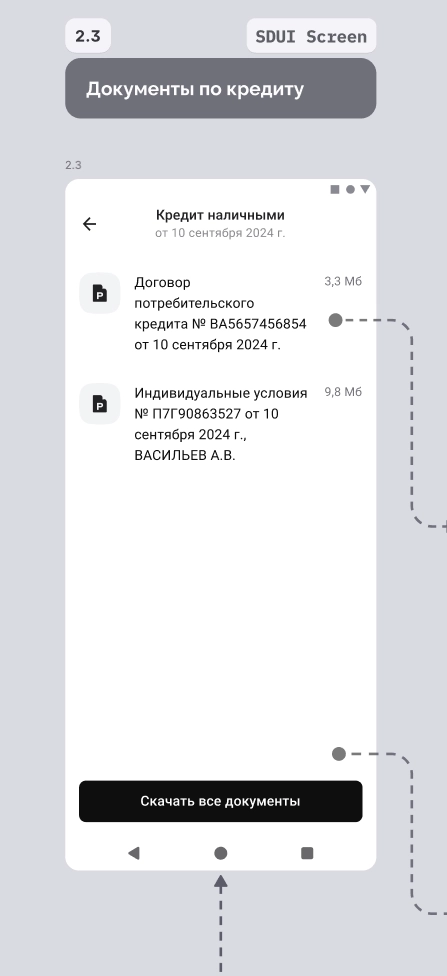
- Separate file names help customers choose the document they need.
- Download all saves customers from opening each file individually.
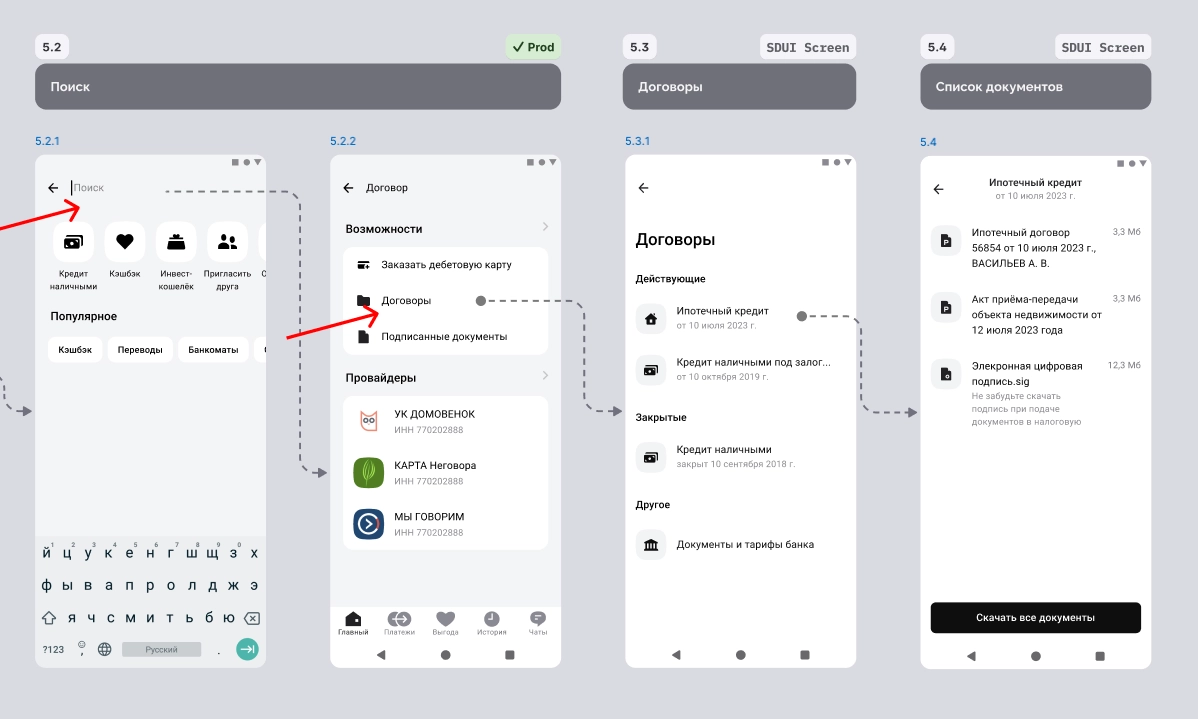
- Search provides another route to agreements.
- Customers choose the relevant product before opening its files.
- The document list ends with a download-all action.
How the customer gets a document
- Open a loan or use search
Documents are available in the product context and through a search for agreements.
- Choose the agreement
The list separates products and includes active and historical agreements where available.
- Download the files
The customer can select a document or download the available files together.
Working through the iOS flow
I prepared the paths across credit products, file actions, error states and component variations for implementation.
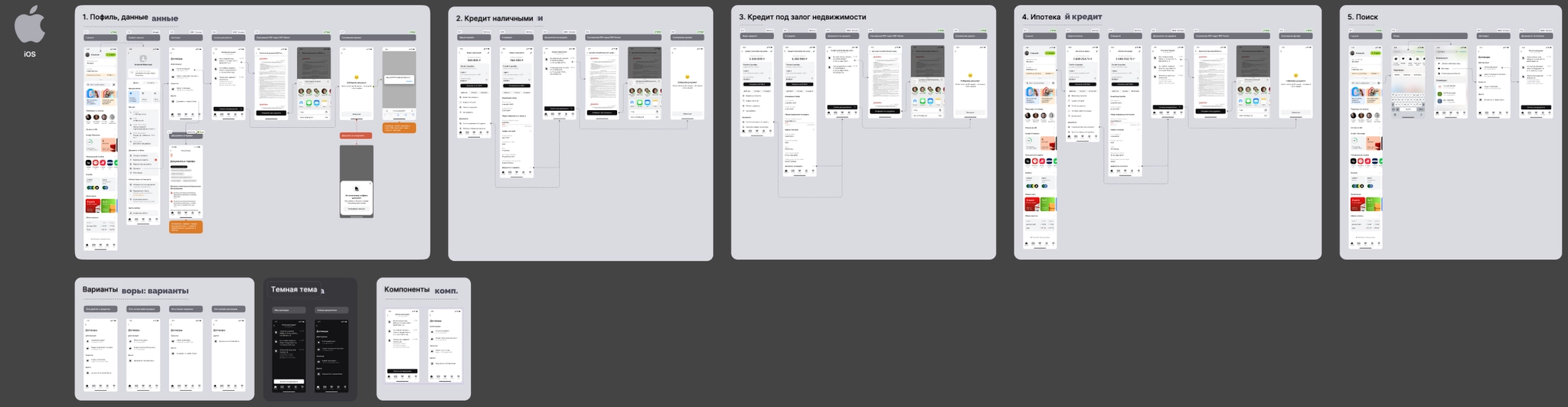
swipe →
- Product screens define where the document journey starts.
- The design covers document access across different credit products.
- File actions and alternative states are included in the handoff.
04 / Delivery and outcome
Delivery and results
I took the work through research, flows, UI specifications and implementation support, working with leads, developers and analysts across mobile and web.
fewer contact-center inquiries per month following the document-access launch.
The feature also created a foundation for extending document access to more banking products.
Related pattern
Saving and sharing the files
This project also required work on the file-action sheet. I defined its actions and states with developers, including the Android team.
Next case study
Hiring analytics for employers