Alfa-Bank / Design systems
A pattern for saving and sharing files
I defined a file-action sheet with developers so customers could save and share documents in the banking app.
01 / Context
A product task exposed a missing pattern
While designing access to loan documents, we found that the available implementation did not support the file experience we needed. Customers had to be able to choose what to do with a document after finding it.
I worked with developers, including the Android team, on a sheet for saving and sharing files. My responsibility was to describe the pattern and its behaviour.
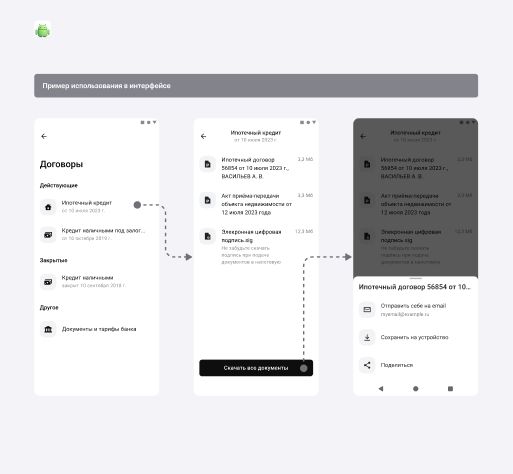
- The customer starts with a loan and selects its documents.
- The document list provides an action for the available files.
- The sheet groups email, save and share actions in one place.
02 / Pattern
Define the behaviour beyond one screen
I documented when to use the sheet, the actions it offers and the states each action needs. The pattern covers documents and other supported files, rather than only a PDF opened in a viewer.
The file is loaded when the customer chooses an action. The rules also cover moving from one action to another, so the implementation does not treat every tap as an unrelated flow.
I included platform examples and light and dark themes to show how the same pattern fits different contexts.
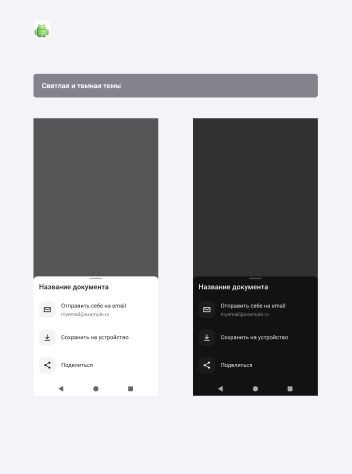
- The file name keeps the selected document visible while the customer chooses an action.
- The same action order is used in both themes.
03 / Email
Account for the state of the email address
Sending a file to yourself depends on whether an email address is present and confirmed. I described separate paths for a confirmed address, an unconfirmed address and no address.
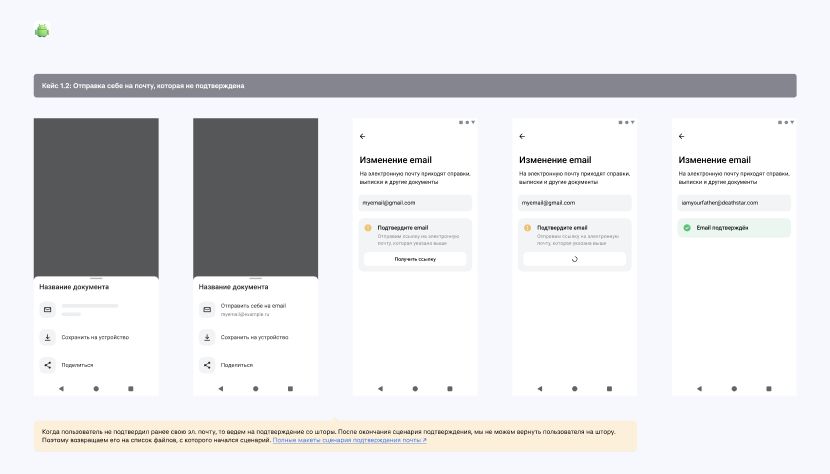
The specification also states where the customer lands after adding or confirming an address: back in the originating scenario, rather than promising a return to the sheet that the flow could not support.
swipe →
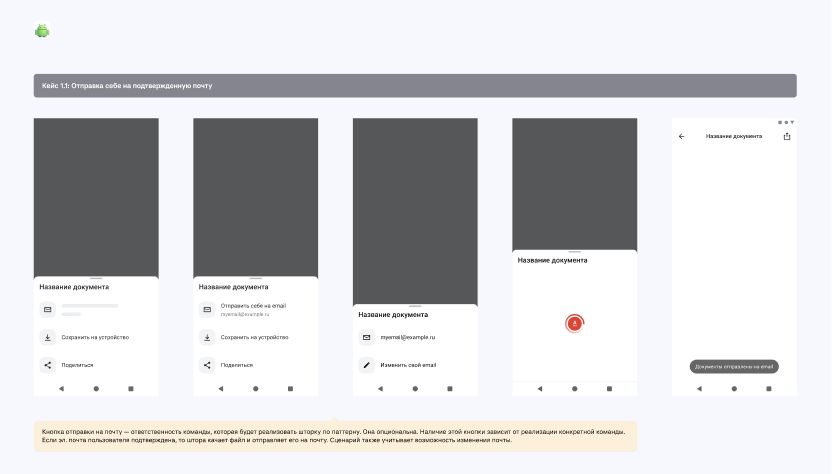
- The email action uses the customer’s saved address.
- The customer can change the address before sending.
- A confirmation message shows that the file was sent.
swipe →
- The flow explains that the address needs confirmation.
- The confirmed state gives a clear end to the verification step.
04 / Saving
Respect platform behaviour
For Android, I documented saving to Downloads, the progress state and confirmation after the save. I also covered the storage permission request when access is missing.
The specification includes the iOS route through the system file interface. The goal was a common pattern with the platform differences described explicitly.
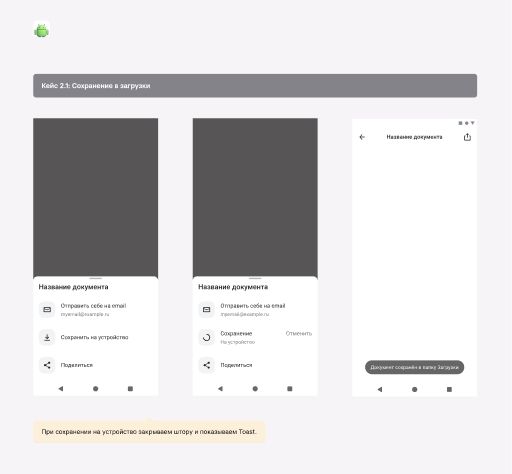
- Save is available beside the other file actions.
- Progress and cancellation are shown inside the sheet.
- A message confirms where the file was saved.
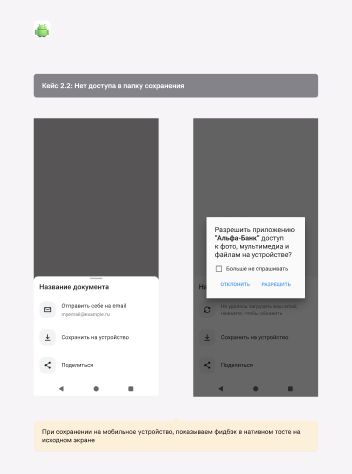
- The customer starts with the save action.
- The platform permission dialog handles missing access.
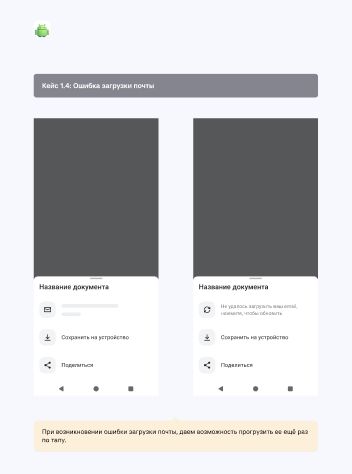
- The loading state stays within the email action.
- The failed state offers a retry without blocking save or share.
05 / My contribution
From a document flow to a documented pattern
The output was a pattern specification: when to use the sheet, supported actions, loading and error states, email prerequisites, platform differences and examples in a real product flow.
I worked through these details with developers so the design described what happens after the first tap, including the cases where the action cannot be completed immediately.
Related case study
Finding and downloading loan documents